Farcaster User Guide
Getting started: your first trade on Morpher
You asked for easy access to everything, and we delivered. On Morpher you can trade crypto, stocks, and commodities without paying fees, and all directly from your wallet.
Follow the steps below to place a trade and see how it works.
Step 1: Pick what to trade
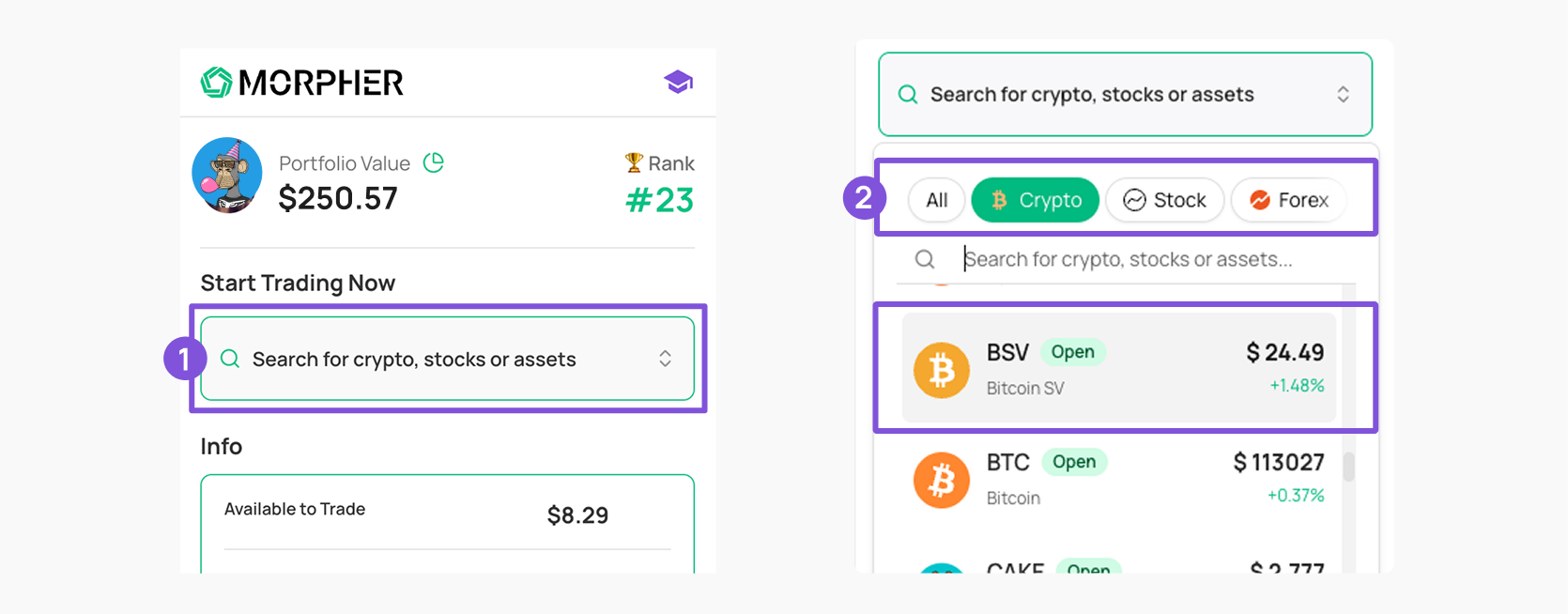
- Start by searching for what you want to trade by clicking the search box
- Switch between asset types (crypto, stocks, forest or commodities) by swiping from right to left.
- Then tap on the specific asset (e.g. Bitcoin, Tesla, Gold) to select it.
Step 2: Enter the trade amount
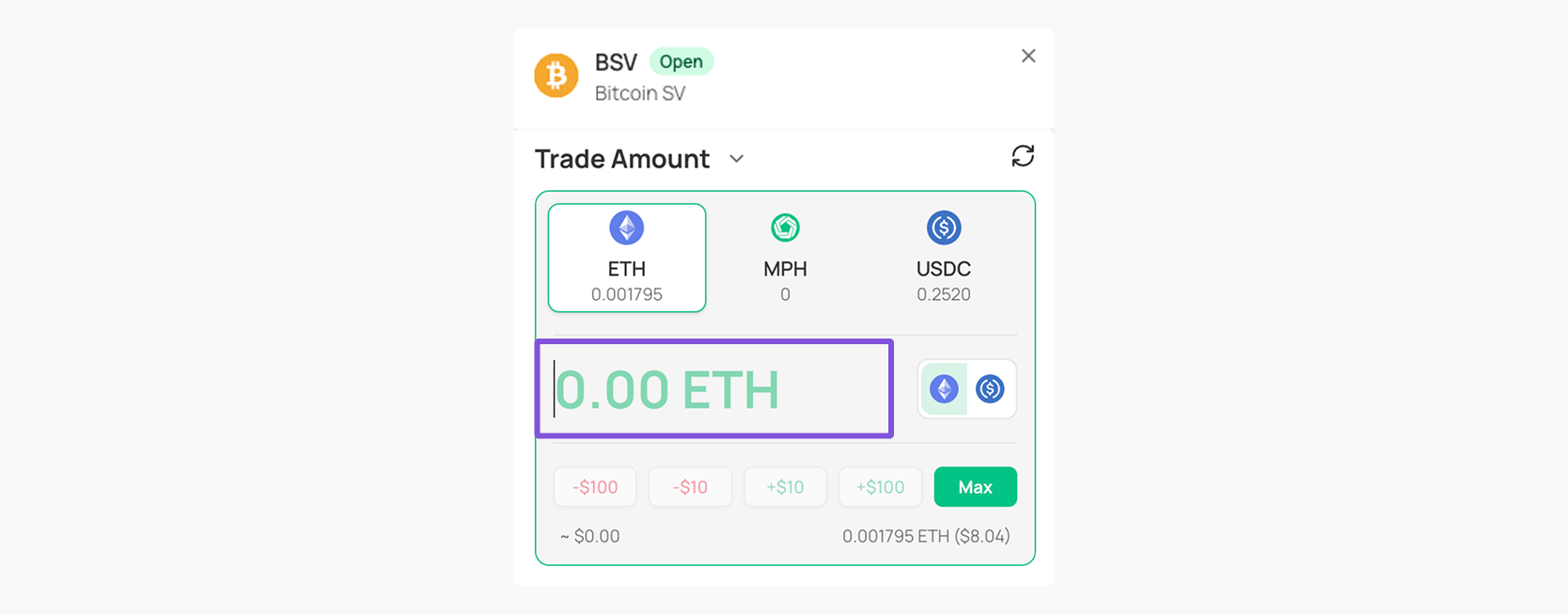
- You can trade using ETH, Morpher Tokens (MPH), or USDC.
- Type in the amount you want to invest in the input, or you can use preset shortcuts:
- +$10 / +$100 / Max
- –$10 / –$100 to adjust down.
- Make sure you have enough balance in your wallet to cover the trade.
Step 3: Pick a trade type
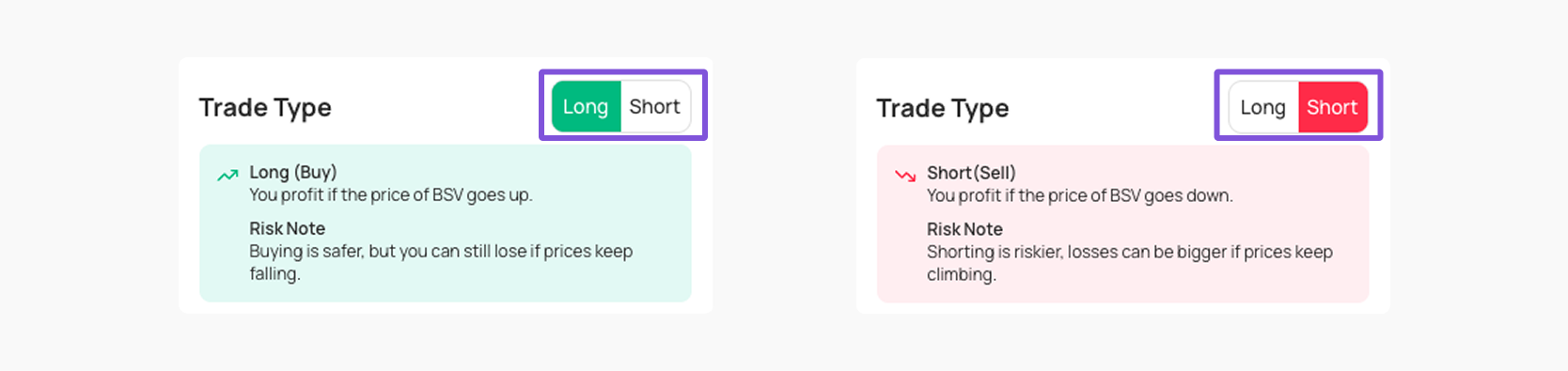
- You can Go Long (Buy): Profit if the price of the asset goes up.
- You can Go Short (Sell): Profit if the price of the asset goes down.
Note: Shorting lets you bet on an asset’s price going down instead of up. If the price drops, you profit, but if it rises, your losses can stack up quickly. Unlike buying, where you can only lose what you put in, shorting can expose you to much bigger losses if prices keep climbing.
That’s why shorting is seen as riskier and is usually better for more experienced traders who understand the risks.
The good news is, when you trade with Morpher, you’ll never go into the negative, once your funds are gone, the trade just closes.
That’s why shorting is seen as riskier and is usually better for more experienced traders who understand the risks.
The good news is, when you trade with Morpher, you’ll never go into the negative, once your funds are gone, the trade just closes.
Step 4: Set your Leverage
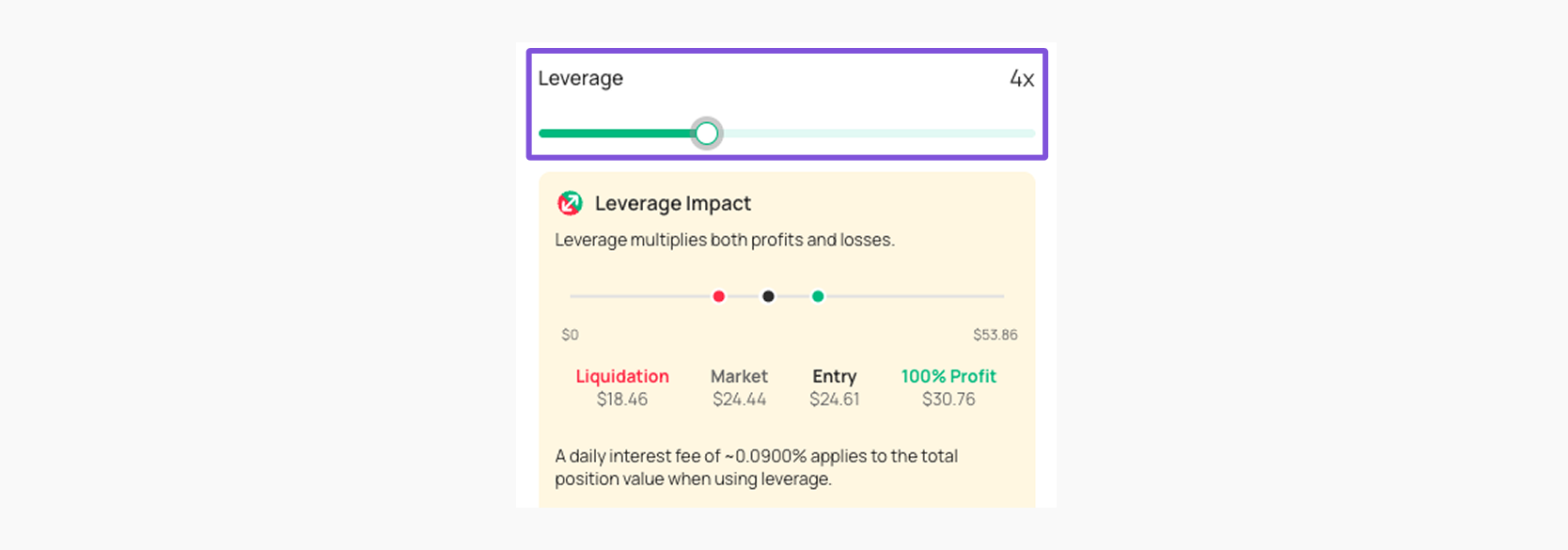
You can use the leverage slider to add leverage which will multiply potential profits (and losses). For example: 2x leverage doubles both gains and losses.
Note:Higher leverage = higher risk. Leverage lets you multiply the size of your trade, so even small price moves can lead to bigger profits. But it also means losses are multiplied just as fast.
That’s why leverage is considered risky and should be used carefully, especially by new traders.
The good news is, when you trade with Morpher, you’ll never go into the negative, once your funds are gone, the trade just closes.
That’s why leverage is considered risky and should be used carefully, especially by new traders.
The good news is, when you trade with Morpher, you’ll never go into the negative, once your funds are gone, the trade just closes.
Step 5: Lock it in
- Double-check your trade.
- Hit Trade
- Share it with your friends or jump into your next trade.
Note: Stock trades go through only while markets are open. If you trade after hours, you’ll see a ‘pending’ status until they kick back in.